
Reviewed · LOS ANGELES
APP Self-guided routes West Coast with audio guide
The most useful thing here is its huge geographic reach. One app connects Los Angeles with the Grand Canyon, Antelope Canyon, Las Vegas, Yosemite, San Francisco, Big Sur, Santa Barbara, and Santa Monica. You are not joining a bus group. You are using a route-planning and audio-guide tool that lets you decide where to stop and how long to stay.
I like the six-language audio guides, especially for a family or private group with different language needs. I also like the mix of driving routes and city walks, since the West Coast is not one kind of trip. The main caution is simple: this is not a live guided tour, and the listed eight to ten hours cannot realistically cover every destination. Treat it as a travel companion for a larger road trip.
Key points to know before you book

- One app covers several major regions: Los Angeles, Arizona, Nevada, Yosemite, San Francisco, and California’s Pacific coast.
- Audio is available in six languages: English, Spanish, Portuguese, German, Italian, and French.
- You get both car and walking routes: This matters in places such as San Francisco, Las Vegas, Yosemite, and national parks.
- Google Maps links help with navigation: Points of interest are connected to geolocation tools for easier route planning.
- The web panel stores plans and documents: You can customize a route and keep travel information in one place.
- The price is per group: At $34.39 for up to five people, the value improves sharply when shared.
What this West Coast app really provides

This experience is best understood as a self-guided route system, not a conventional sightseeing excursion. You receive access to an app with points of interest, driving directions, walking routes, audio explanations, and location links.
That distinction matters. A guide will not meet you at Los Angeles International Airport, narrate from the passenger seat, or adjust the day for traffic. You and your group make the choices. The app gives you the framework.
The experience is priced at $34.39 per group of up to five people. For one person, that is a moderate cost. For five people, it works out to less than $7 per person, which is strong value if you use the routes across a longer holiday.
The advertised activity lasts about eight to ten hours and begins at 8:00 am at Los Angeles International Airport, 1 World Way. It ends back at the same meeting point. Yet the destinations listed stretch across several states and a very large part of California. I would not read the duration as a promise that you can visit all eleven stops in one day. Instead, consider the app a resource for planning several days of driving and walking.
More Self-Guided Audio Tours in the USA
- Gettysburg Battlefield Self-Guided Driving Audio Tour
★ 4.5 · 910 reviews - Joshua Tree National Park Self-Guided Driving Audio Tour
★ 4.5 · 762 reviews - Ultimate Acadia National Park Self-Guided Driving Audio Tour
★ 4.0 · 521 reviews
Los Angeles begins with icons and viewpoints
The first section focuses on Los Angeles, including Downtown, Hollywood, Beverly Hills, and Santa Monica. The Hollywood Sign receives special attention, with advice on different ways to photograph one of the city’s best-known symbols.
That is a useful approach because the sign is not a single stop with one obvious viewing area. You need to think about angle, distance, and the rest of your day. A route that helps you find a suitable viewpoint can save time, especially when you are combining Hollywood with Beverly Hills, Downtown, or the coast.
The app also includes free points of interest and Google Maps links. You can use the audio guide while walking, then switch to a driving route when moving between neighborhoods.
I like this flexible format for Los Angeles because the city is spread out. You can easily lose hours moving between districts. A prebuilt route gives your day some shape without forcing you to follow a fixed group schedule.
The drawback is that Los Angeles traffic can change the timing. The one-hour indication for this stop should be treated as a suggested visit length, not a guaranteed total time. You still need to allow for the drive between neighborhoods.
Desert Discovery Center and the Arizona crossing
The next stop points you toward the Desert Discovery Center, where you can see a meteorite that fell thousands of years ago. The suggested visit lasts only ten minutes, so this is a brief stop rather than a full museum visit.
That short timing makes the point clear: the app includes small roadside attractions alongside major national parks. You can decide if a quick stop fits your route or skip it when time is tight.
The Arizona section is much larger. It includes Monument Valley, Bryce Canyon, Zion, Antelope Canyon, and Horseshoe Bend, with both car routes and walks. Antelope Canyon has an admission cost that is not included, so you should budget separately for that visit.
The combination of road directions and walking routes is valuable in this part of the West. Long drives connect the main places, but the best views often require leaving the car. The app can help you shift between the two kinds of movement.
The listed one-hour duration for Antelope Canyon should not be taken as the time needed for the whole Arizona circuit. Monument Valley, Bryce Canyon, Zion, Antelope Canyon, and Horseshoe Bend form a substantial route. Use the app to organize that section over a longer schedule.
Grand Canyon viewpoints without a fixed bus timetable
The Grand Canyon section covers the park’s viewpoints and suggests about one hour. That gives you a starting point for a short visit, especially if you are using the app as part of a larger drive.
I like the focus on multiple viewpoints rather than a single overlook. The canyon changes from one viewing area to the next, and a route can help you make better use of limited time. The audio guide also gives you something to listen to while moving between stops.
There is no admission ticket included in the price, and the experience itself does not include any other service. That means entrance costs, parking, food, and any separate attraction fees remain your responsibility.
If you have only an hour, keep your plan simple. Choose the viewpoints that fit your route and avoid treating the Grand Canyon as a quick box to check. The app can organize the stops, but it cannot create extra daylight.
Another self-paced route in the USA:
- Los Angeles: Hop-On Hop-Off Bus Tour with Audio Guide
★ 3.7 · 2,030 reviews - City Sightseeing Hop-On Hop-Off Bus Tour with Audio Guide
★ 3.0 · 1,083 reviews - Medieval Torture Museum Ticket with Audio Guide and Ghost Hunting
★ 5.0 · 962 reviews - San Francisco: Alcatraz, Ferry & Audio Tour w/ Night Option
★ 4.4 · 617 reviews
Las Vegas works best as a walking section
The Las Vegas material is built around a sightseeing walk. It identifies points of interest and provides a route through the city.
That is a sensible format for Las Vegas. You can move through the main areas on foot, listen to the audio guide, and stop when something catches your eye. The one-hour suggestion is enough for a compact orientation, though not for every sight in the city.
The route is free to use as part of the app, but the price does not include any additional service. You should expect to pay separately for attractions that charge admission.
I would use this section to understand the city’s layout rather than rush through it. The app provides direction and context, while you control the pace. That is particularly useful for a private group, since each person can decide how much time to spend at each point.
Yosemite combines road routes with walking paths
Yosemite receives both walking routes and a driving route from Mammoth Lakes to Oakhurst. This is one of the more useful parts of the package because the park and its surrounding roads require different kinds of planning.
A walking route can help you organize short visits and viewpoints within the park. The Mammoth Lakes to Oakhurst route covers a wider journey, giving you a way to connect Yosemite with the rest of your California trip.
The listed time is about one hour, but that is plainly a suggested section length rather than a complete Yosemite visit. You should use the app as a guide to selected routes, not as a promise that the entire park fits into one morning.
The benefit here is freedom. You can shorten a walk, add a viewpoint, or change the order of stops without waiting for a tour group. The tradeoff is that you must manage your own timing and navigation.
San Francisco brings neighborhoods and side trips
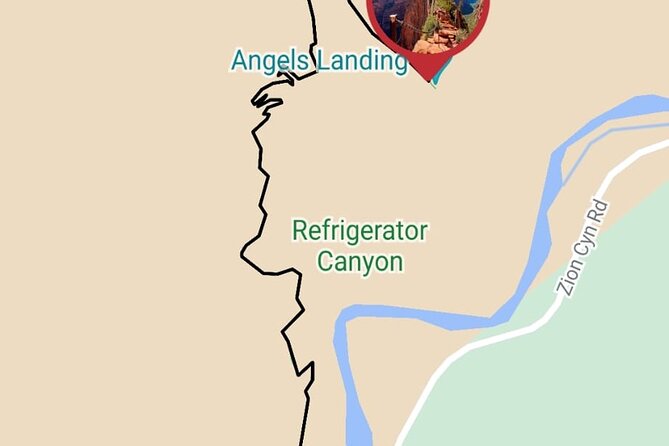
The San Francisco section includes a route from Yosemite, walking routes through different neighborhoods, and excursions from the city. That makes it more than a list of famous sights. It gives you options for both city time and day trips.
I especially like the neighborhood approach. San Francisco is easier to understand on foot than from a vehicle, and walking routes let you experience the changes between districts at street level. The app links points of interest to Google Maps, which can help you move from one stop to the next.
Some excursions from San Francisco require separate admission, and those costs are not included. The app does not supply transportation or a local guide, so you remain responsible for getting to each starting point.
The San Francisco portion is also a good example of how the product works best. You can use the audio guide for orientation, pause it when you want to explore, and return to the route when you are ready to continue.
Carmel and Monterey make the coastal route personal
The route from San Francisco to Carmel passes through Silicon Valley and identifies famous companies such as Google and Facebook. It also includes a walking tour of Monterey, a Monterey Peninsula route, and points of interest along the way.
This section is useful for people who want more than a direct drive down Highway 1. You can choose a technology-focused stop, spend time in Monterey, and then continue toward the peninsula.
Carmel and Monterey are presented as places to explore at your own pace, with free points of interest listed in the app. Some excursions from San Francisco have separate admission costs, but the Carmel section itself does not list an included ticket.
The one-hour suggestion is again only a guide. The route from San Francisco to Carmel, plus Silicon Valley and Monterey, can easily become a full day. I would avoid packing every option into one schedule. Pick the stops that match your interests and let the app handle the order.
Big Sur offers a shorter but scenic coastal section
Big Sur receives about thirty minutes in the suggested program and includes its main points of interest. This is a compact section, but it can help you organize a longer coastal drive.
The value is not in rushing through the area. It is in knowing which viewpoints and stops belong on your route. You can use the driving directions to connect Big Sur with Monterey and Santa Barbara, then select the places where you want to pause.
No admission ticket is listed for this section. Still, the app does not include fuel, meals, parking, or any other service. Those practical costs remain outside the purchase price.
Santa Barbara and Santa Monica finish the coast
The final coastal sections connect Monterey with Santa Barbara, then Santa Barbara with Santa Monica. The route passes through Solvay and includes Santa Barbara attractions, coastal points, and viewpoints.
Santa Barbara is given about thirty minutes, as is Santa Monica. That timing is enough for a quick orientation, but it is not a full visit to either place. I would use these sections to choose stops along the drive rather than force the entire coast into one day.
The Santa Monica route is a natural endpoint for a Los Angeles trip. It focuses on the coast and viewpoints, giving you a way to finish after moving south from Santa Barbara.
Together, these sections show the app’s main strength: it links individual city walks to long-distance road routes. You can plan a complete California journey while still keeping enough freedom to change the pace.
Six languages and a private group change the value
The audio guide is available in English, Spanish, Portuguese, German, Italian, and French. That is one of the strongest features for a mixed-language group. You can select the language that works best for each person rather than rely on one spoken guide for everyone.
The activity is private in the sense that only your group participates. You are not sharing a vehicle or following strangers from stop to stop. However, the experience does not include a private human guide. The app is the guide.
You can also use the web panel to customize your route and store travel documents. This is practical for a multi-stop holiday, where reservations, route notes, and plans can otherwise end up scattered across email and phone screens.
The app works near public transportation, and service animals are allowed. Most people can participate, but the available information does not describe specific accessibility arrangements for each walk or viewpoint. If you need detailed access information, ask before booking.
The real value of $34.39 per group
At $34.39 for up to five people, this is not priced like a single attraction ticket. It is closer to a shared planning tool.
The value is strongest when you use several parts of the app across a multi-day trip. A family or group of friends can share the cost, listen in different languages, and build a route without paying for separate guided excursions in every city.
The value is weaker if you only want a short, guided visit in Los Angeles. You are paying for access to a wide collection of routes, so using only one section leaves much of the product untouched.
Keep extra costs in mind. Antelope Canyon and some San Francisco excursions list admission as not included. The package also provides no transport, meals, entrance fees, or other services.
Who should book this experience?
I would recommend it to independent road-trippers, families, and private groups planning several stops across the West Coast. It suits you if you like to control the schedule but still want audio explanations and organized routes.
It is also a good fit if your group speaks different languages. The six audio options are a practical advantage, not a decorative feature.
I would be more cautious if you want a live guide, a supplied vehicle, or a single tightly planned day. The program covers too much territory for every listed stop to fit into eight to ten hours. You need to do some planning yourself.
The cancellation rule is strict: the experience is non-refundable and cannot be changed for any reason. Confirm that the app format, dates, and route style suit your plans before paying.
FAQ
Where does the experience start?
It starts at Los Angeles International Airport, 1 World Way, Los Angeles, California 90045.
What time does it start?
The listed start time is 8:00 am.
Where does the experience end?
It ends back at the meeting point at Los Angeles International Airport.
How long does the activity last?
The approximate duration is eight to ten hours.
Is this a private tour?
Yes. Only your group participates, but the experience is self-guided through the app rather than led by a live guide.
How many people can use the booking?
The price covers one group of up to five people.
Which languages are available for the audio guide?
Audio guides are available in English, Spanish, Portuguese, German, Italian, and French.
Does the app include driving routes?
Yes. It includes driving routes along the West Coast, including routes connected with Yosemite, Arizona, and California’s coastal cities.
Does the app include walking routes?
Yes. Walking routes are available in national parks and cities, including Las Vegas, Yosemite, San Francisco, and Monterey.
Are entrance tickets included?
No. The activity includes the navigation app and its self-guided routes, but it does not include other services. Antelope Canyon and some San Francisco excursions specifically list admission as not included.
Should you book the West Coast self-guided app?
Book it if you want a flexible route planner for a larger West Coast holiday, especially if you are sharing the $34.39 price with a group of up to five. Skip it if you expect a live guide, transport, or a complete one-day tour of every destination. Its best use is as a multilingual road-trip companion that helps you organize the journey without taking control of it.
Latest audio tours in the USA
- Solvang City Personalized Self-Guided App Tour★ 3.0 · 6 reviews
- Essential Downtown SLO: A Self-Guided Audio Tour★ 4.5 · 27 reviews
- Silicon Valley Self-Guided Driving Audio Tour for Tech Lovers★ 4.0 · 24 reviews
- Self-Guided Audio Tour of the Golden Gate Bridge★ 3.5 · 3 reviews
- The Ghosts of San Francisco Haunted Audio App Walking Tour★ 5.0 · 2 reviews
- Point Reyes National Seashore Self Guided Driving Audio Tour★ 4.0 · 9 reviews
- San Francisco Self-Guided Audio Drive: Explore at Your Own Pace★ 4.0 · 9 reviews
- Explore Coronado Island on a Self Guided Audio Tour★ 5.0 · 2 reviews
Self-Guided Audio Tours, compared.

Acropolis Ticket & Optional Self-Guided Audio Tours
Read our review →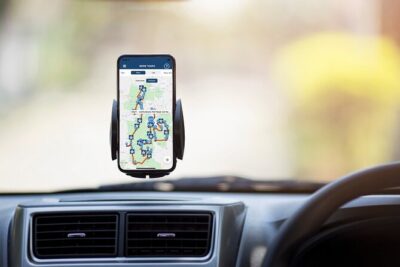


Ultimate Acadia National Park Self-Guided Driving Audio Tour
Read our review →

Akrotiri Ticket with Optional Self-Guided Audios
Read our review →
Browse the lists this tour appears in