
Reviewed · USA
Silicon Valley Self-Guided Driving Audio Tour for Tech Lovers
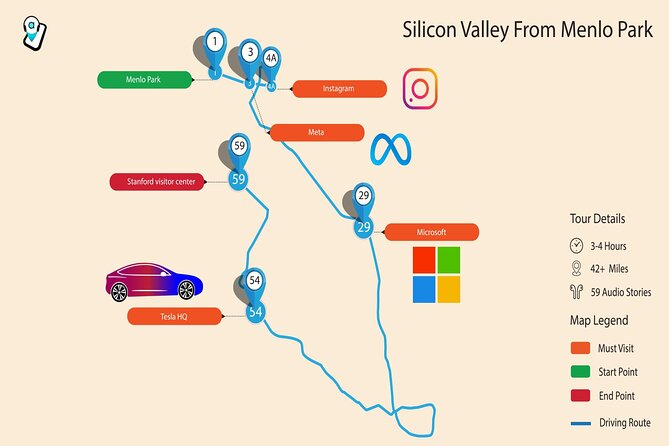
Silicon Valley’s most famous companies are spread across office parks, suburban roads, and guarded campuses. This 38-mile driving tour gives those unremarkable-looking buildings a story, linking Meta, Google, Apple, Microsoft, Amazon, and Tesla to the people and ideas that changed daily life. You’ll hear about Mark Zuckerberg, Bill Gates, Elon Musk, and other major figures while the route guides you from Menlo Park toward Stanford.
I like the per-car pricing, which makes $39.99 reasonable for a group of four, and I like the freedom to skip stops, pause for lunch, or use the tour again on another trip. The main catch is that the app and route need careful handling. Some drivers found lane instructions too late, and audio can move to the next story before the previous one finishes if you stray from the route or reach a stop quickly.
Key points before you start
- More than 56 audio stories cover 38 miles, with an expected driving time of about two to four hours depending on stops.
- The route passes major tech sites, including Meta, Amazon Web Services, Google, Microsoft, Apple, Tesla, and the Computer History Museum.
- Apple Park Visitor Center is the best hands-on stop, with an Apple store, cafe, and augmented reality display.
- The tour costs $39.99 per group of up to four, so it can be far cheaper than four individual admissions or a private guided outing.
- Download the Action Tour Guide app before setting out, using strong Wi-Fi or cellular service.
- This is a private, self-guided experience, with no guide waiting at the starting point and no access to the company headquarters themselves.
What this Silicon Valley drive actually feels like
This is not a walking tour through Silicon Valley’s famous offices. You’ll mostly view campuses from public roads and listen from inside your car. That may sound modest, but it fits the region. The companies are working offices, not museums, and visitors generally cannot wander inside Meta, Google, Microsoft, or Tesla headquarters.
The audio gives purpose to places that might otherwise look like ordinary corporate buildings. You hear how Facebook grew into Meta, why Amazon Web Services matters far beyond online shopping, and how Apple developed from a garage-era computer company into a global technology brand. The storytelling also includes company disputes and controversial figures, so it is not simply a string of congratulatory corporate profiles.
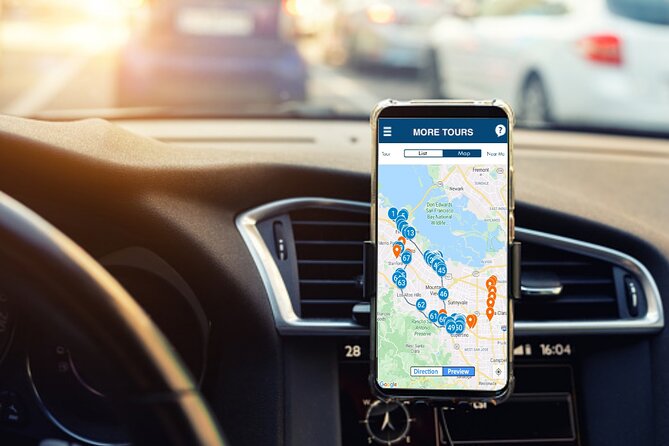
The route contains over 56 stories, with automatic playback tied to your location. That hands-free setup lets you concentrate on driving, though you should still assign one person to handle the map and app. One review specifically praised having a copilot who could read the route. That is sensible advice, especially around crossings and lane changes.
Plan on at least two hours if you keep moving. With stops, snacks, photos, and the Computer History Museum, three to four hours is more realistic. The listed stop times add up to roughly two hours and twenty minutes before accounting for the drive between locations.
More Self-Guided Audio Tours in the USA
- Gettysburg Battlefield Self-Guided Driving Audio Tour
★ 4.5 · 910 reviews - Joshua Tree National Park Self-Guided Driving Audio Tour
★ 4.5 · 762 reviews - Ultimate Acadia National Park Self-Guided Driving Audio Tour
★ 4.0 · 521 reviews
Starting at Meta’s Menlo Park campus
The tour begins at 1401 Marsh Road in Menlo Park, near the Meta complex formerly associated with Facebook. The first stop, Meta Building MPK 16, sets the tone with the story of Facebook’s origins, Mark Zuckerberg’s leadership, and the controversies that followed the company’s growth.
You will circle the outside of the campus rather than enter it. The value here is context. A plain office complex becomes part of the social media story, and the audio explains why this company had such a large effect on how people communicate and consume news.
The suggested stop time is 15 minutes, but you can keep it shorter if the building itself does not interest you. This is one of the tour’s more observational stops, so tech fans will get more from the backstory than from the architecture.
Amazon Web Services at SJC18
The Amazon stop focuses on SJC18, a low-key building connected with Amazon Web Services. Its appearance may not impress you, but the subject matters. AWS supplies cloud computing services that support much of the internet, and it gives Amazon a role far beyond online retail.
This is a good example of what the tour does best: it explains why an ordinary-looking office matters. You may not find much to photograph, but the audio helps you see the building as part of a much larger system.
Allow about 15 minutes. You do not need to enter, and admission is not charged for the roadside stop. Keep your expectations realistic: this is a narrated drive-by, not a public tour of Amazon’s operations.
Google’s Android statues and the Googleplex

The Android Lawn Statues offer one of the more playful stops. The foam sculptures represent different Android software updates, including sweets such as lollipops, marshmallows, and cupcakes. They give you something concrete to look at after several office-campus views.
The stop is listed for 15 minutes. It is a useful break from the car, though you should confirm the app’s exact route and stopping instructions before pulling over. The tour does not include a private Google visit.
Next comes Google B40 and the Googleplex. Here, the narration covers the company’s founding and its brainy early leaders, along with the famous phrase Don’t be evil. The point is less about seeing a single landmark and more about connecting the buildings to Google’s rise as a search and software giant.
This pairing works well. The Android statues show Google’s consumer-facing side, while the Googleplex explains the company’s larger story. If you already follow the technology industry closely, some of the material may be familiar. The benefit is having it arranged along a route rather than researching each stop while you drive.
More Driving Audio Tours in the USA
- Ultimate Lake Tahoe Self-Guided Driving Audio Tour
★ 4.5 · 435 reviews - Scenic Newport, RI Self-Guided Driving Audio Tour
★ 4.5 · 325 reviews - Arches National Park Self-Guided Driving Audio Tour
★ 4.5 · 288 reviews - Yellowstone National Park Self-Guided Driving Audio Tour
★ 4.5 · 249 reviews
Microsoft’s California headquarters
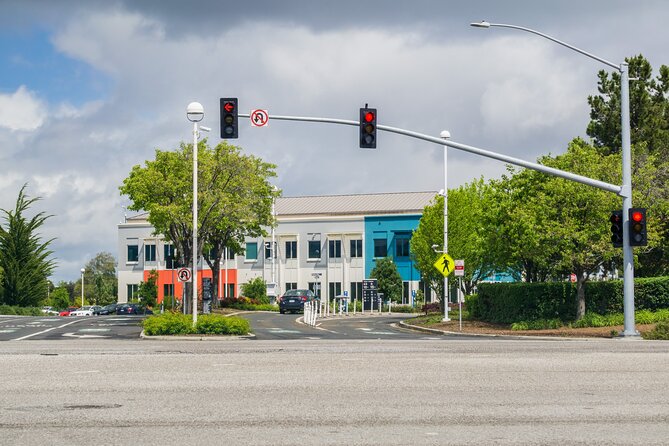
Microsoft was not founded in Silicon Valley, but its California headquarters earn a place on this route because no tour of modern computing can ignore the company. The audio covers Bill Gates, Microsoft’s growth, and its long-running rivalry with Apple.
This is another outside view, not a campus visit. Give it about 10 minutes and use it as a history stop. I would not make a special trip to this location without the narration, since the building alone is unlikely to mean much to you. With the story playing, it becomes part of the wider contest between personal-computer companies.
The Computer History Museum is the major optional stop

The Computer History Museum is the route’s strongest conventional attraction. Its collection includes nearly 90,000 objects and photographs, about 4,000 feet of cataloged documents, and hundreds of gigabytes of software.
The audio stop itself is listed as free, but museum entry is not included. Keep that distinction in mind when planning your budget and schedule. If you want more than a quick look from outside, check the museum’s current admission details separately.
Allow at least 10 minutes for the tour narration, then add as much museum time as your interests require. A serious computer enthusiast could easily spend far longer here than at any corporate campus. The museum also gives you a chance to leave the car and see actual machines, artifacts, and software rather than office exteriors.
One useful approach is to treat the driving narration as an introduction, then decide on the spot whether to pay for admission. If your group includes people who are not technology fans, this flexibility helps keep the outing from becoming an all-day commitment.
Apple Infinite Loop and Apple Park

Apple Infinite Loop is the original Apple campus featured on the route. As you drive around the loop, the narration explains Apple’s development and its continuing influence on technology.
The 20-minute stop has clear value for Apple fans, but it is still an exterior visit. The tour does not take you inside the campus, and you should not expect a public look at Apple’s offices. What you get is the setting and the company story.
Apple Park Visitor Center is more satisfying because you can get out of the car. The stop is listed for 30 minutes and includes an Apple store, a cafe, and an augmented reality display that lets you examine the circular campus in a more interactive way. This is also a practical place to take a break.
The Visitor Center sits near the route rather than directly on its main path, so follow the app carefully if you want to include it. A family visiting with a teenager found this the most enjoyable part of the outing, and I can see why. It offers a real public-facing experience when most of the other stops are views from the road.
Tesla and the changing tech map
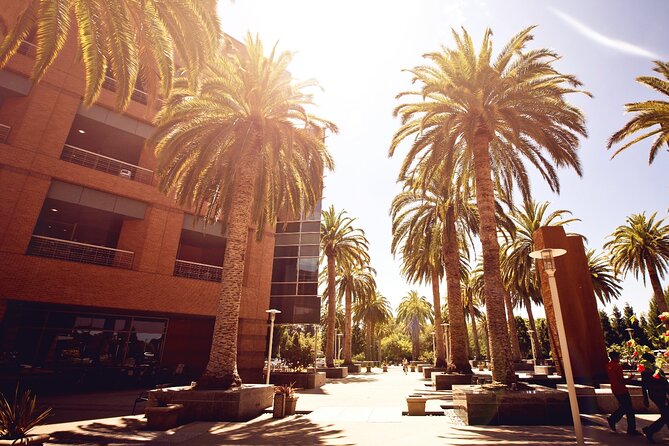
The Tesla stop covers the company’s former headquarters, which served in that role until the end of 2021. The narration discusses Tesla, Elon Musk, and ventures such as SpaceX.
Because company locations can change, this stop deserves a little flexibility. You are hearing about Tesla’s impact and leadership while passing a former headquarters, not visiting the company’s current main base. The story remains relevant, but the physical site may not carry the same meaning as it once did.
Allow around 10 minutes. This is a quick final corporate stop before the route heads toward Stanford Stadium, the listed endpoint at 625 Nelson Road.
How the app works, and where it can go wrong
After booking, you receive setup instructions and a password by email and text. Search for audio tour if the message is hard to find. Download the separate Action Tour Guide app while you have strong Wi-Fi or cellular service, then enter the password.
Once downloaded, the tour works offline. That is important in a driving tour, since you do not want the narration to fail because of a weak signal. Connect your phone to the car stereo by Bluetooth, USB, or AUX. Apple CarPlay playback is supported, while Android Auto support is still being developed according to the supplied details.
The app uses GPS to trigger stories as you reach each point. You can start and pause the tour, skip stops, replay the route later, or use it on another trip. The product now provides lifetime access with no expiry, which makes the price more attractive if you expect to return to Silicon Valley.
The main technical warning is route discipline. The audio depends on you following the supplied path and driving at a suitable speed. If you take a different road, reach a location early, or move through an area faster than expected, a story can be cut short or the next one can begin.
Navigation also needs care. Some people found crossing instructions too late for comfortable lane changes. I would have a passenger watch the route, and I would never make a sudden maneuver just to obey an audio cue. If the app and road situation disagree, drive safely and deal with the next instruction when you can.
The tour works on iOS 15 or later, Android version 9 or later, and iPads or tablets with GPS and cellular connectivity. The app problem reported by one customer is a reminder to check your device before the cancellation window closes. Since the tour is normally nonrefundable within 24 hours of the start time, do not wait until the last minute to download it.
Price, timing, and who gets the best value
At $39.99 for up to four people, the math is good for a full car. Four people pay about $10 each, and even two people pay about $20 each for a private route with lifetime access. You are paying for the app, narration, map, and route planning, not for admission to the museum or any company facility.
The value depends on how much structure you want. You could research these companies yourself, but you would need to locate the sites, work out a sensible order, and find parking or viewing points. This tour saves that planning time and adds audio while you drive.
It is best for technology fans, families with older children, first-time Silicon Valley visitors, and anyone with only part of a day. It also works well on a rainy day because most of the experience takes place in the car, with the Apple Park Visitor Center and Computer History Museum offering chances to get indoors.
It is less suitable if you want long visits inside famous offices, a personal guide, or detailed turn-by-turn navigation like Google Maps. The narration is useful, but the route is not a replacement for attentive driving.
You can cancel for a full refund up to 24 hours before the start time. Within 24 hours, the amount paid is not refunded. The operating window is listed daily from 6:00 AM to 9:00 PM, from July 8, 2020 through February 24, 2027.
Should you book this Silicon Valley tour?
Book it if you want a low-cost way to connect Silicon Valley’s scattered company sites into one outing. The best reasons are the route planning, the flexible pacing, the Apple Park stop, and lifetime access. A group of four gets especially good value.
Skip it if you mainly want museum time, need flawless navigation, or expect entry into Google, Apple, Meta, Microsoft, Amazon, or Tesla facilities. Before booking, check your device, download the app early, bring a copilot, and plan to treat the Computer History Museum and Apple Park Visitor Center as the most substantial stops.
Used that way, this is a useful audio companion, not a guided campus tour. It gives ordinary office buildings a story and lets you decide how much Silicon Valley you want to see.
FAQ
How long does the Silicon Valley audio tour take?
The route covers more than 38 miles and is described as taking about two to four hours. Your timing depends on traffic, stops, museum time, food breaks, and whether you skip any stories.
Where does the tour start and end?
It starts at 1401 Marsh Road in Menlo Park, California, and ends at Stanford Stadium, 625 Nelson Road in Stanford.
Does the tour include entry to the Computer History Museum?
No. The tour includes the audio stop, but attraction admission, entry tickets, and reservations are not included.
Do I need cellular service during the drive?
You need strong Wi-Fi or cellular service to download the tour before starting. After downloading, the app works offline.
Can I use the tour more than once?
Yes. The tour provides lifetime access with no expiry, so you can pause it, use it on another day, or listen again on a future trip.
How many people can use one booking?
One booking covers a private group of up to four people in one car.
Latest audio tours in the USA
- Solvang City Personalized Self-Guided App Tour★ 3.0 · 6 reviews
- Essential Downtown SLO: A Self-Guided Audio Tour★ 4.5 · 27 reviews
- Self-Guided Audio Tour of the Golden Gate Bridge★ 3.5 · 3 reviews
- The Ghosts of San Francisco Haunted Audio App Walking Tour★ 5.0 · 2 reviews
- Point Reyes National Seashore Self Guided Driving Audio Tour★ 4.0 · 9 reviews
- San Francisco Self-Guided Audio Drive: Explore at Your Own Pace★ 4.0 · 9 reviews
- Explore Coronado Island on a Self Guided Audio Tour★ 5.0 · 2 reviews
- San Diego Gas Lamp: At your leisure & pace. An audio walking tour.★ 3.5 · 4 reviews
Driving Audio Tours, compared.


Ultimate Acadia National Park Self-Guided Driving Audio Tour
Read our review →


Browse the lists this tour appears in